DATASCI 350 - Data Science Computing
Lecture 16 - Introduction to Cloud Computing
The AI module
- Last class closed the module with retrieval-augmented generation
- Five stages: chunk → embed → store → retrieve → generate
- The whole pipeline was about 70 lines of Python, on your own laptop
- Fine-tuning changes the model’s weights, never its context
- Use it for behaviour and style. Facts that change belong in retrieval
- The ladder to take with you: prompt → RAG → fine-tune
- Climb a rung only when the one below fails
Today we change the constraint
- Every computer in the module was yours
- One CPU, limited RAM, and it sleeps in your bag
- Today we rent someone else’s
- AWS, and a machine you control from your terminal

Lecture overview
What we will cover today
- We start with the money: owning servers versus renting them
- Two stories from 2008: Animoto and The Washington Post
- Then the vocabulary: IaaS, PaaS, SaaS, FaaS and virtual machines
- A tour of AWS: compute, storage, and databases
- The October 2025 outage, when AWS broke for fifteen hours
- You open an account and set a budget that emails you
- We read a scanned document with Amazon Textract
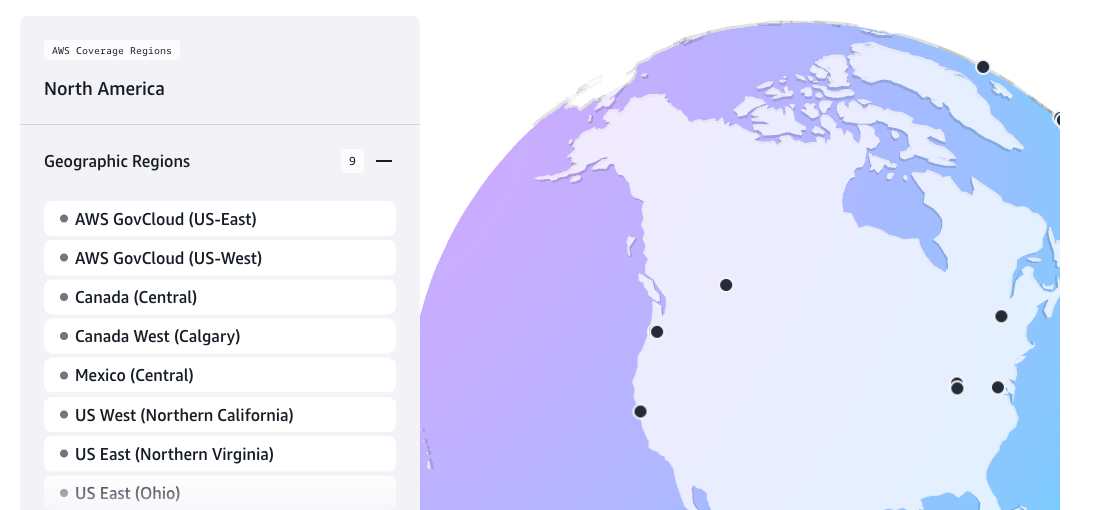
AWS lists 123 availability zones in 39 regions. The one that failed in October 2025 is on this page
What is cloud computing?
- Cloud computing is renting computers over the internet
- You pay as you go, often by the second
- The machine sits in someone else’s data centre
- The “Big Three” are AWS, Microsoft Azure, and Google Cloud
- Market share: AWS 28%, Azure 21%, Google 14% (Synergy Research, Q1 2026)
- Spending: $129 billion in Q1 2026, up 35% in a year
- AWS is Amazon’s most profitable division
- In Q2 2026: 21% of sales and 60% of operating profit ($16.6 billion)
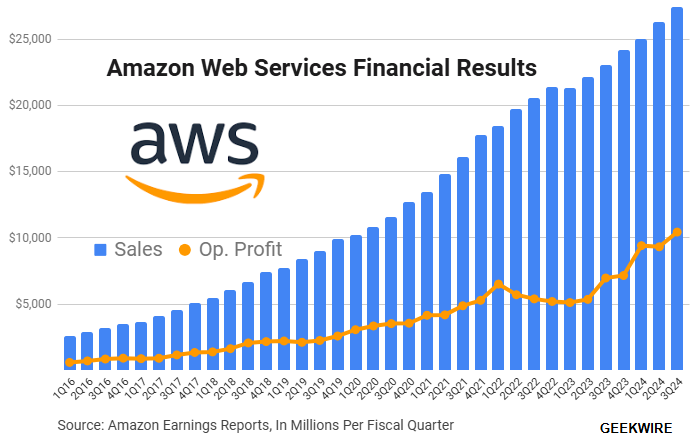
Chart to Q3 2024: GeekWire. 2026 figures: Amazon Q2 2026 results
Case study: Animoto
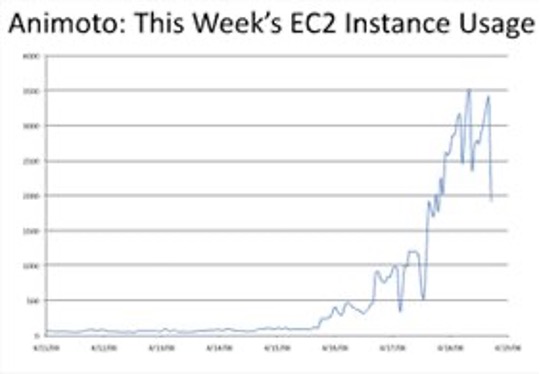
- Animoto: Lets users create videos from their own photos/music
- Built using Amazon EC2 (Elastic Compute Cloud) + S3 (Simple Storage Service) + SQS (Simple Queue Service)
- Released a Facebook app in mid-April 2008
- More than 750,000 people signed up within 3 days
- EC2 usage went from 50 machines to 3,500 (x70 scalability!)
- No way they could have done this with traditional infrastructure!
Case study: The Washington Post
- Hillary Clinton’s White House schedule was released to the public in 2008
- 17,481 pages of low-quality PDF, none of it searchable
- Reading it by hand would have taken hundreds of hours
- Peter Harkins, a senior engineer at the paper, asked: “Can we make that data available more quickly, ideally within the same news cycle?”
- He tested optical character recognition programs, then launched 200 EC2 instances
- Nine hours of waiting, 1,407 hours of machine time, $144.62
- The results were online 26 hours after the release
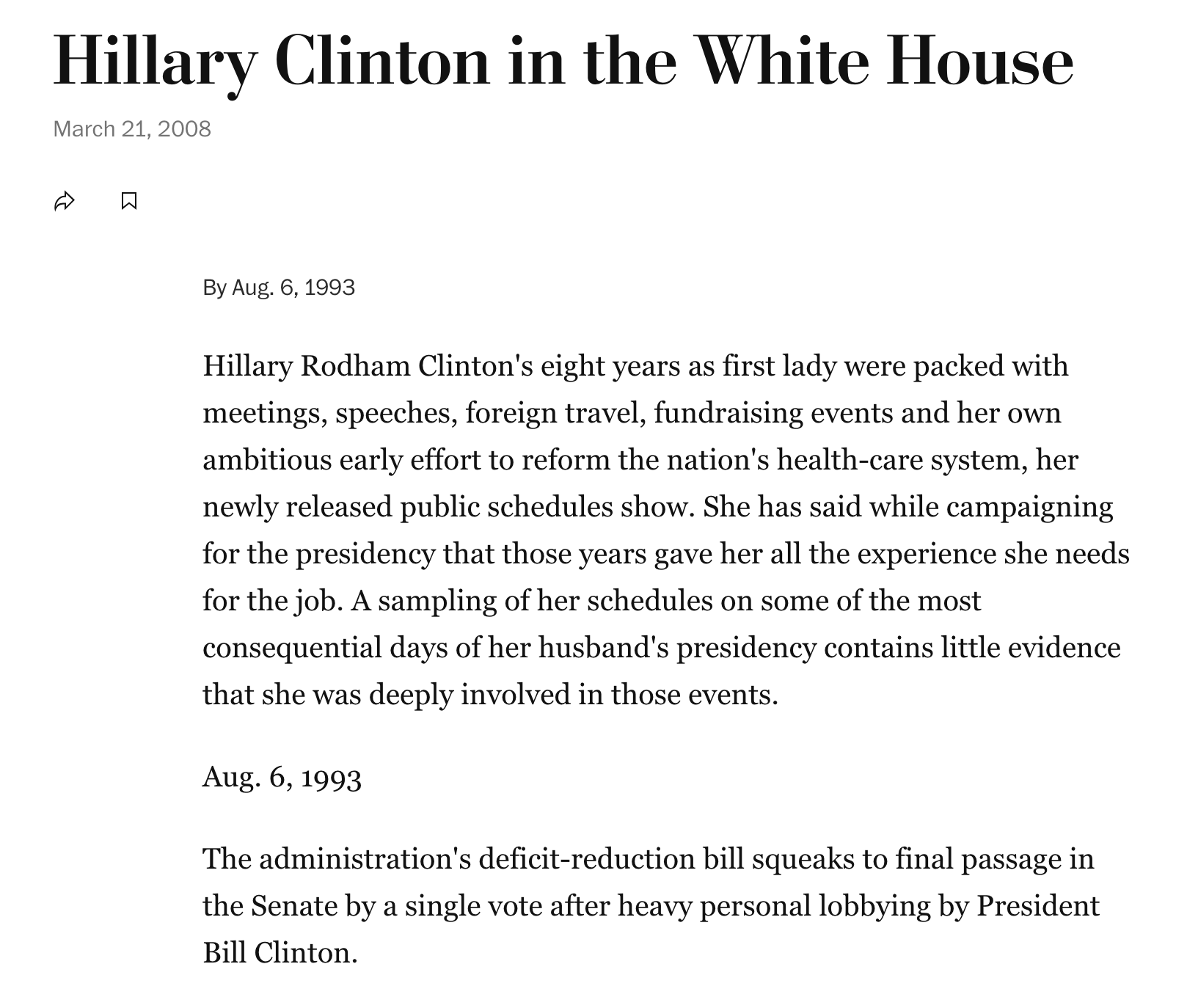
Source: The Washington Post
Cloud computing services
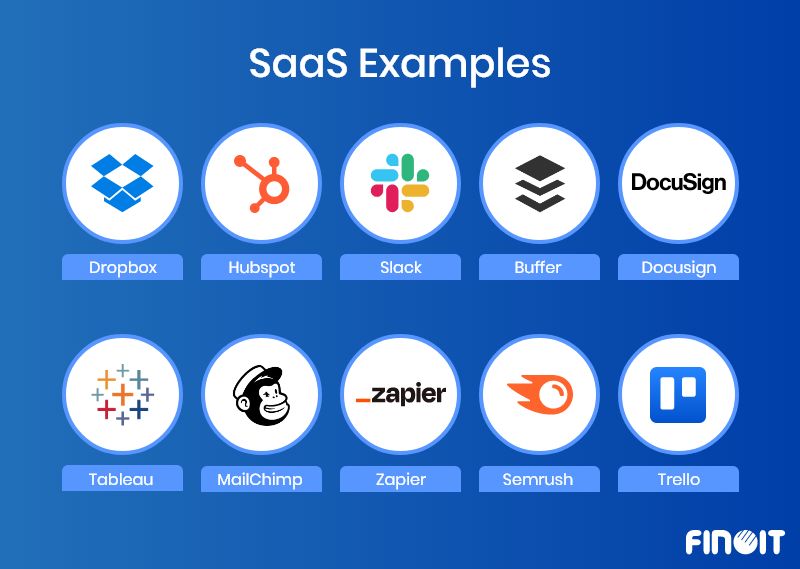
SaaS
Cloud computing services
PaaS
Cloud computing services
FaaS
Cloud computing services
IaaS
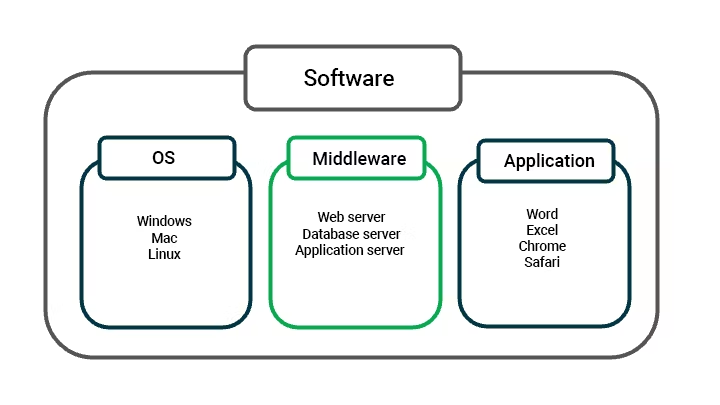
What is middleware?
- Middleware is software that connects two separate applications
- It sits between the operating system and the application
- We rarely see it, but most of the internet depends on it
- It handles authentication, encryption, and the drivers that talk to databases
- A message queue holds work until a machine is free, so neither side waits for the other
- Animoto used SQS that way: the queue held the video jobs while EC2 grew to 3,500 machines
- Apache Kafka and RabbitMQ do the same job outside AWS
More about middleware: https://aws.amazon.com/what-is/middleware/
What is virtualisation?
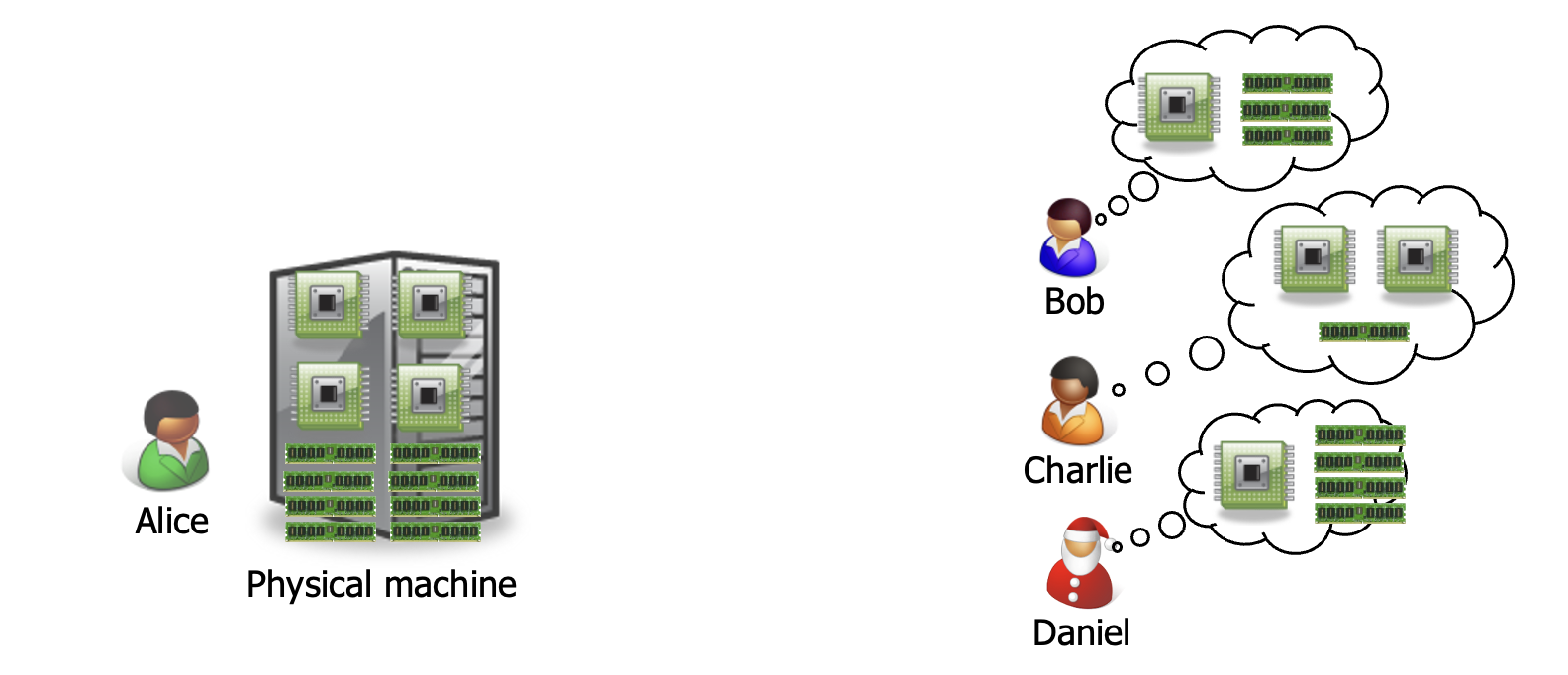
- Suppose Alice has a machine with 4 CPUs and 8 GB of memory, and three customers:
- Bob wants a machine with 1 CPU and 3 GB of memory
- Charlie wants 2 CPUs and 1 GB of memory
- Daniel wants 1 CPU and 4 GB of memory
- What should Alice do?
- Alice can sell each customer a virtual machine (VM) with the requested resources
- From each customer’s perspective, it appears as if they had a physical machine all by themselves (isolation)
More about virtualisation: https://aws.amazon.com/what-is/virtualization/
Amazon Web Services (AWS)
- AWS is a collection of cloud-based services
- It’s a very large platform
- Let me say it again: a VERY LARGE ONE 😂
- It offers services for:
- Compute, storage, databases, analytics, machine learning, AI, IoT, security, and more
- Many companies use AWS, including Netflix, Airbnb, and NASA
- The most widely used services are EC2, S3, and RDS, for computing, storage, and databases, respectively
- Let’s look at them in more detail

Amazon EC2 - Elastic Compute Cloud
- EC2 rents you virtual machines, called instances
- You can resize them whenever you need to
- Most run Linux, but other systems are available
- You control them with Bash from the command line
- A GUI exists, but you do not need it
- Uses: websites, databases, machine learning models
- https://aws.amazon.com/ec2/
- Be mindful of the costs! They add up quickly
- Billing is per second (or per hour)
- Not included: data transfer, persistent storage, and scaling

EC2 auto scaling
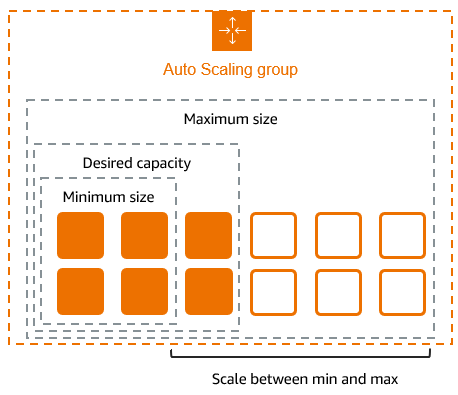
- Scaling means adding or removing compute capacity
- You can scale by hand or automatically
- It helps with fluctuating workloads
- Example: a website that is busier during the day
- You set a minimum, desired, and maximum number of instances
- AWS keeps the group inside those bounds
- A rule triggers the change, usually average CPU or request count
- Load balancers spread the traffic across the instances
ELB - Elastic Load Balancer
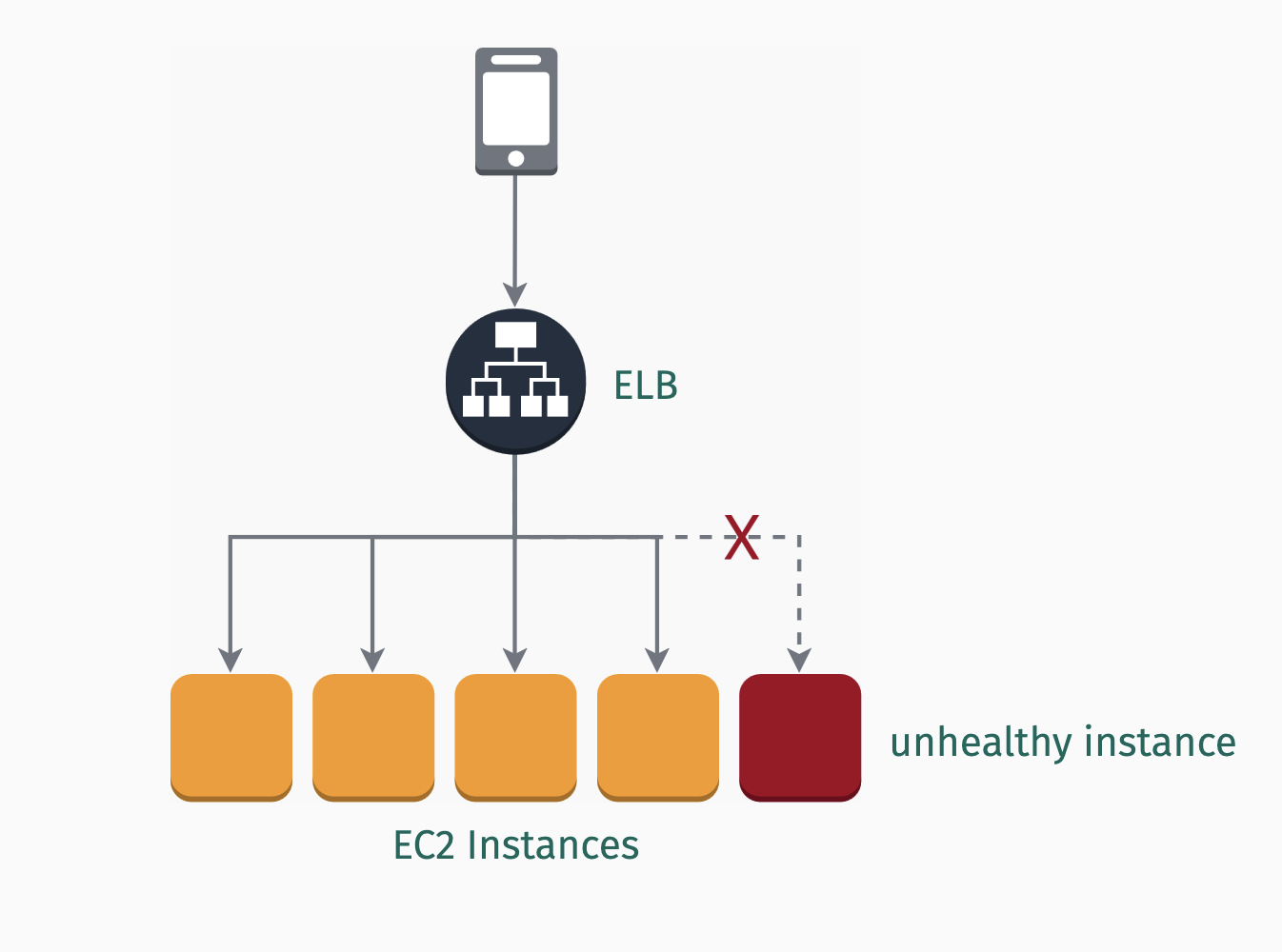
- ELB spreads incoming traffic across several instances
- It works in one availability zone or across several
- Auto scaling adds instances, and ELB sends traffic to them
- Health checks run every few seconds
- A failing instance gets no traffic until it recovers
- ELB holds the HTTPS certificate, so the instances do not need one
- You pay for data transfer and requests. It can get expensive
Cloud storage
Amazon S3 - Simple Storage Service
- AWS has three main storage services: S3, EBS, and EFS
- S3 is object storage for backups, archives, and analytics
- Files live in buckets, the top-level containers of S3
- Each file is stored in at least three availability zones
- Durability is 99.999999999% (eleven nines!)
- Lifecycle policies move old data to cheaper storage classes
- Standard, Intelligent-Tiering, and Glacier (Instant, Flexible, Deep Archive)
- Versioning keeps old versions of a file, like
git

Cloud storage
Amazon EBS - Elastic Block Store
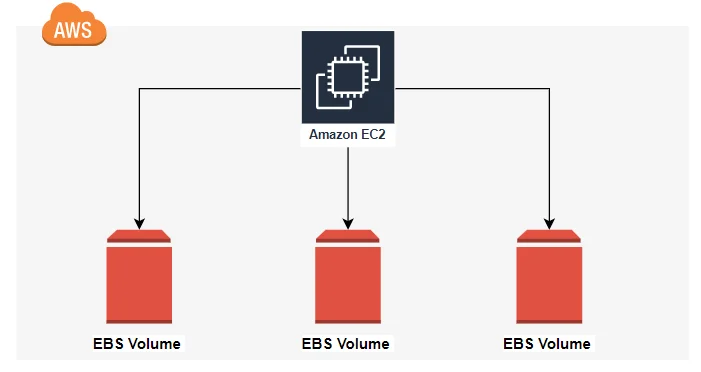
- EBS gives EC2 instances block storage
- Block storage works like a hard drive
- EC2 formats it and runs its operating system on it
- S3 is different: it is object storage
- Object storage keeps whole files and their metadata, reached over the web
- Main use: the disk of an EC2 instance, for the system and databases
- Snapshots back up a volume (like
gitagain!) - Up to 64 TiB per volume
Amazon EFS - Elastic File System
- EFS provides scalable file storage for EC2 instances
- It is mainly used for shared file storage: many instances mount the same file system
- Common uses are big data, analytics, and web serving
- An EBS volume usually attaches to one instance at a time
- EFS grows and shrinks on its own, so there is no volume size to choose
- As with S3 and EBS, you pay for the storage you use

Database services
Amazon RDS - Relational Database Service
- Amazon RDS runs a relational database for you
- Seven engines: Aurora, PostgreSQL, MySQL, MariaDB, Oracle, SQL Server, and Db2
- AWS handles backups, patches, and updates
- You get a hostname and a port, but no
ssh - Multi-AZ keeps a standby copy in another zone and switches to it on failure
- Related services:

Amazon SageMaker AI
- Finally, let’s talk about Amazon SageMaker AI
- It is a managed service to build, train, and deploy machine learning models at scale
- AWS renamed the original service in December 2024, so older tutorials still say “SageMaker”
- It has pre-built containers for TensorFlow, PyTorch, and scikit-learn
- You can bring your own models and train them in Jupyter notebooks
- The AWS Marketplace sells many more models, and SageMaker Unified Studio is the single workbench for data and AI projects
- Some ready-made AI services:

When AWS has a bad night
19 October 2025, us-east-1
- The cause was a race condition: two programs changed the same thing at once
- Two DynamoDB programs updated the same DNS record
- One wrote an old plan late, and the other’s clean-up deleted it
dynamodb.us-east-1.amazonaws.comthen pointed nowhere- EC2 launches, load balancers, and console sign-in failed too
- Recovery took about fifteen hours
- Snapchat, Fortnite, Signal, banks and more went down
- 17 million people reported problems
- One insurance model put losses at $38 million to $581 million
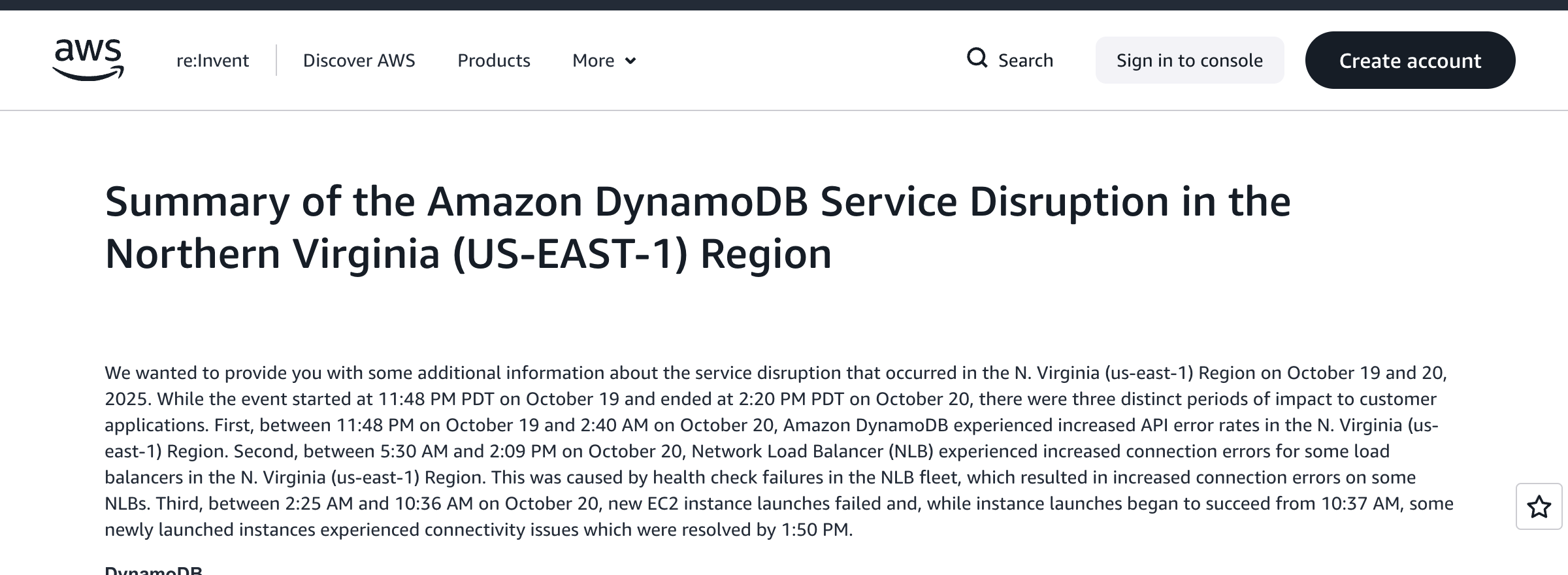
Source: AWS post-event summary
- Reliability is still your job. Start by not keeping everything in one region!
Creating an AWS account
Ten minutes, and you need a payment card
- Open https://aws.amazon.com/free/
- Choose Create a Free Account
- Enter a personal email address. Keep your Emory address for coursework
- Choose any account name
- Choose Verify email address
- Copy the code from the email into the form
- AWS requires a card and may place a small temporary authorisation on it. Enter your card details
- Complete the phone verification
- Choose your account plan. The next slide covers that choice
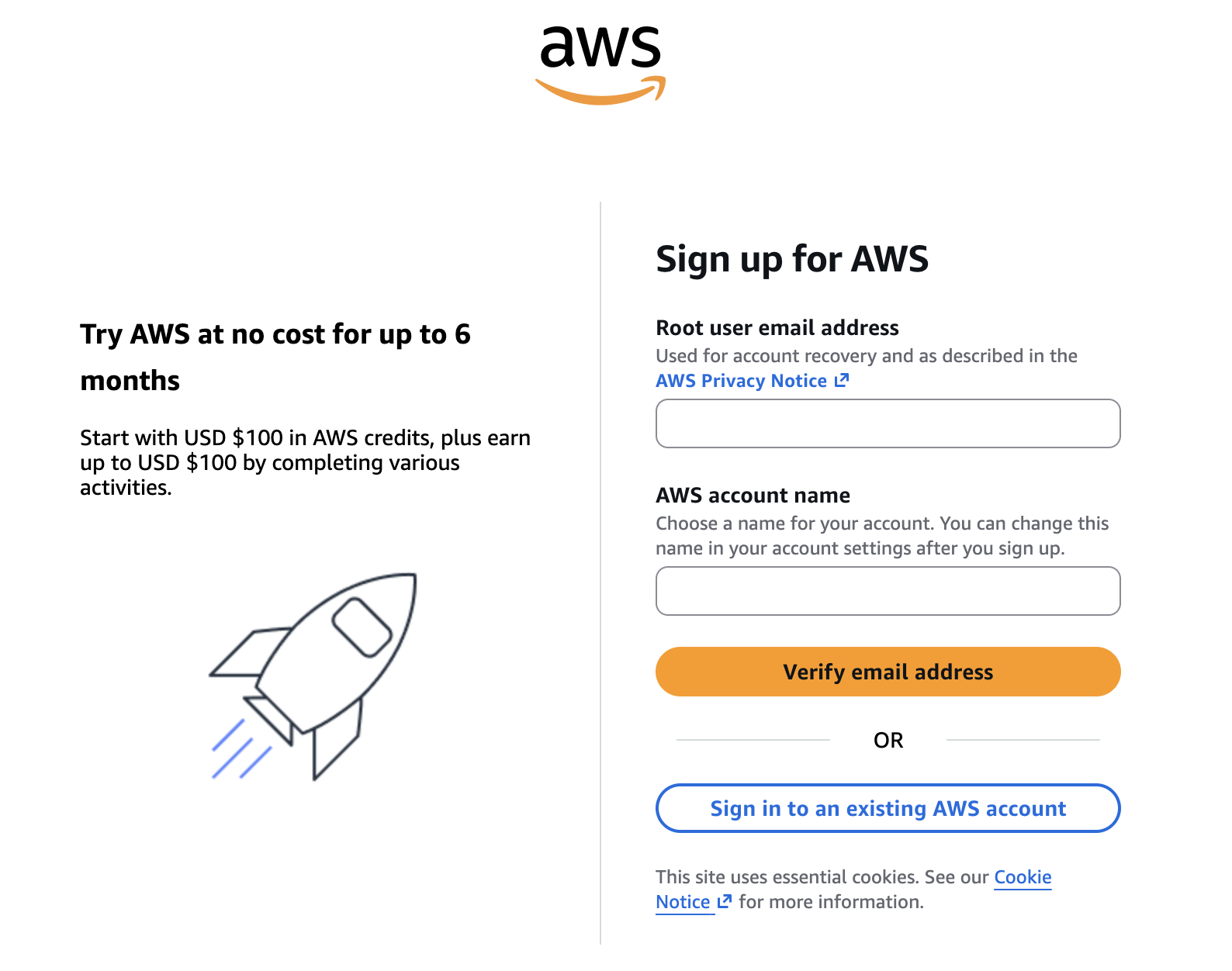
Do this at home, before or after class. Please let me know if you have any problems
Free plan or paid plan?
Choose the free plan
- The account starts with $100 in credits, and the console offers up to $100 more for trying key services
- That is $200 across the six months of the free plan
- The plan ends after six months or when the credits run out, whichever comes first
- AWS puts it plainly: you will not be charged unless you convert to a paid plan
- The free plan blocks some services, and workloads stop at the credit thresholds
- Everything this course asks of you fits inside those limits
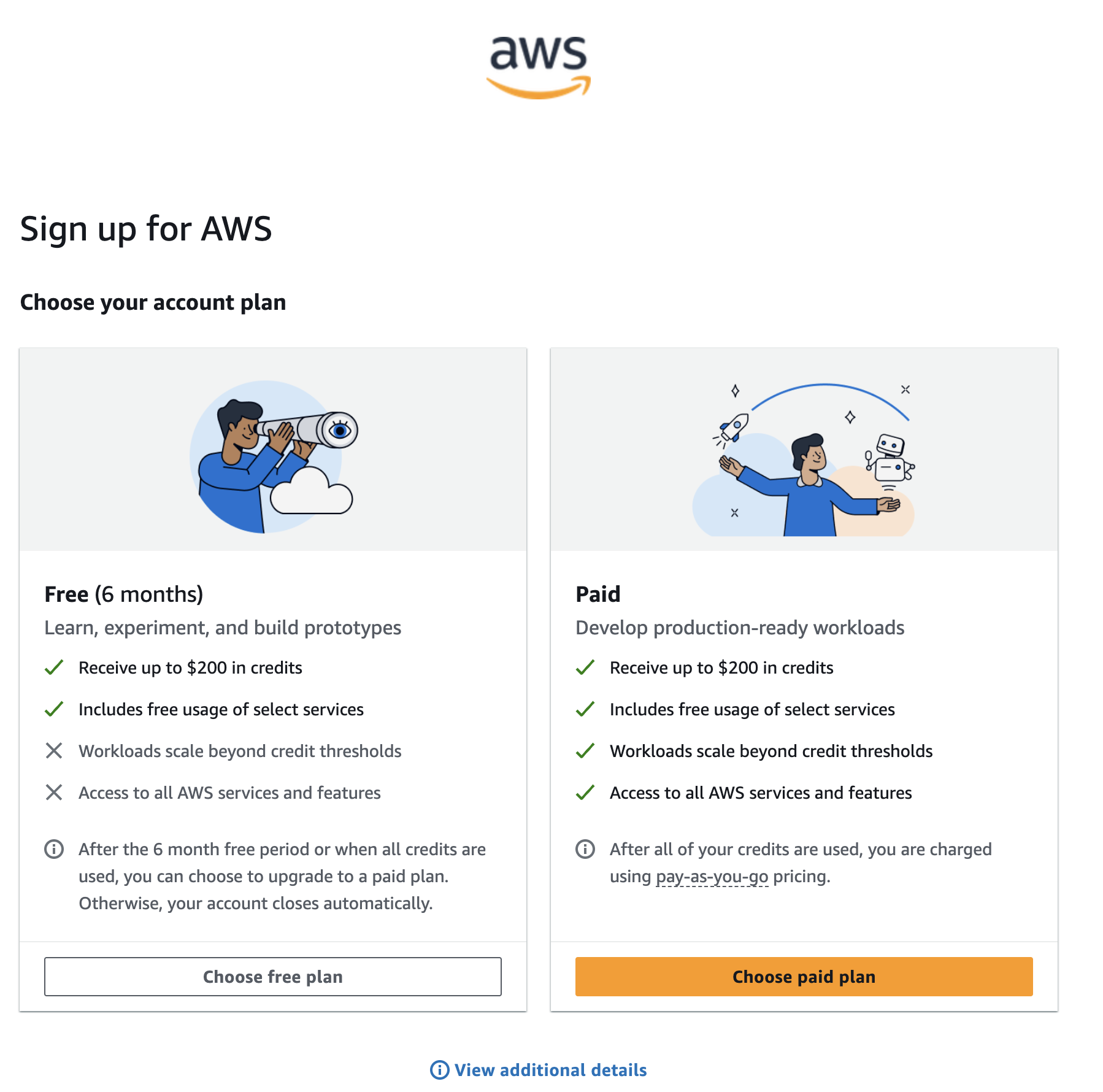
When the free plan ends, the account closes on its own. AWS deletes everything 90 days later unless you upgrade. Download anything you want to keep
Set a zero-spend budget
Your first job in the console
- Open the Billing and Cost Management console.
- Choose Budgets in the left menu.
- Choose Create budget.
- Keep Use a template (simplified).
- Choose Zero spend budget.
- Keep the suggested name.
- Enter your email address.
- Choose Create budget.
The template emails you once your spending passes $0.01
The budget accepts up to ten addresses. Use one you actually read!
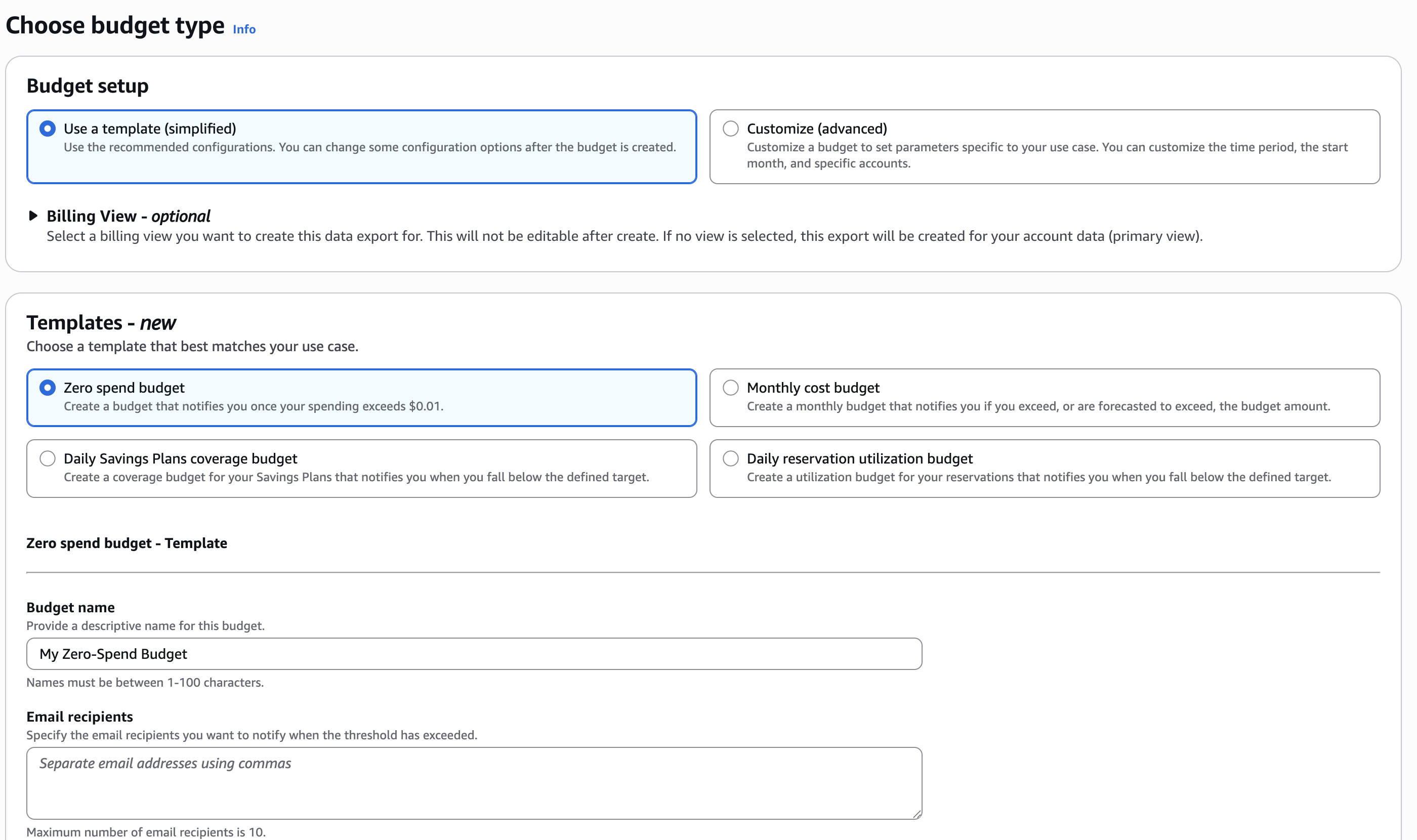
Check that it worked
And what the alert will not do for you

The budget list after saving
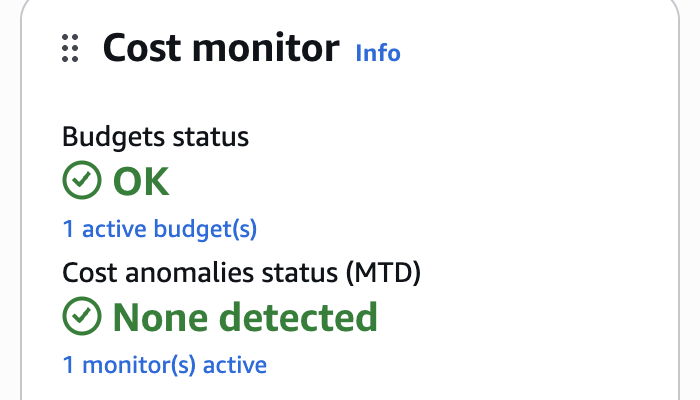
The same budget on the billing home
- The budget appears in the list with a Healthy status
- Billing and Cost Management home repeats it in the Cost monitor panel
- Billing and Payments, then Credits is where you watch the $200 drain
Budgets update up to three times a day, so the email can arrive hours late. An instance left running overnight bills you before anyone warns you
Forecast alerts need roughly five weeks of history, so a new account gets none this term. The best protection is to terminate what you start
Amazon Textract
The 2008 job, in a browser, in about a minute
- Open the console and search for
Textract - Choose Analyze Document under Demos
- Upload
clinton-schedule-2001-pages-11-20.pdf - Tick the outputs you want
- Choose Apply configuration
- The file is in the course repository, under
lectures/lecture-16/data/
Ten pages of Hillary Clinton’s 2001 schedule, the same typewritten paper The Washington Post fed through OCR
New accounts get 1,000 pages a month of text detection and 100 of layout, forms or tables, for three months. Read the pricing page before a large run
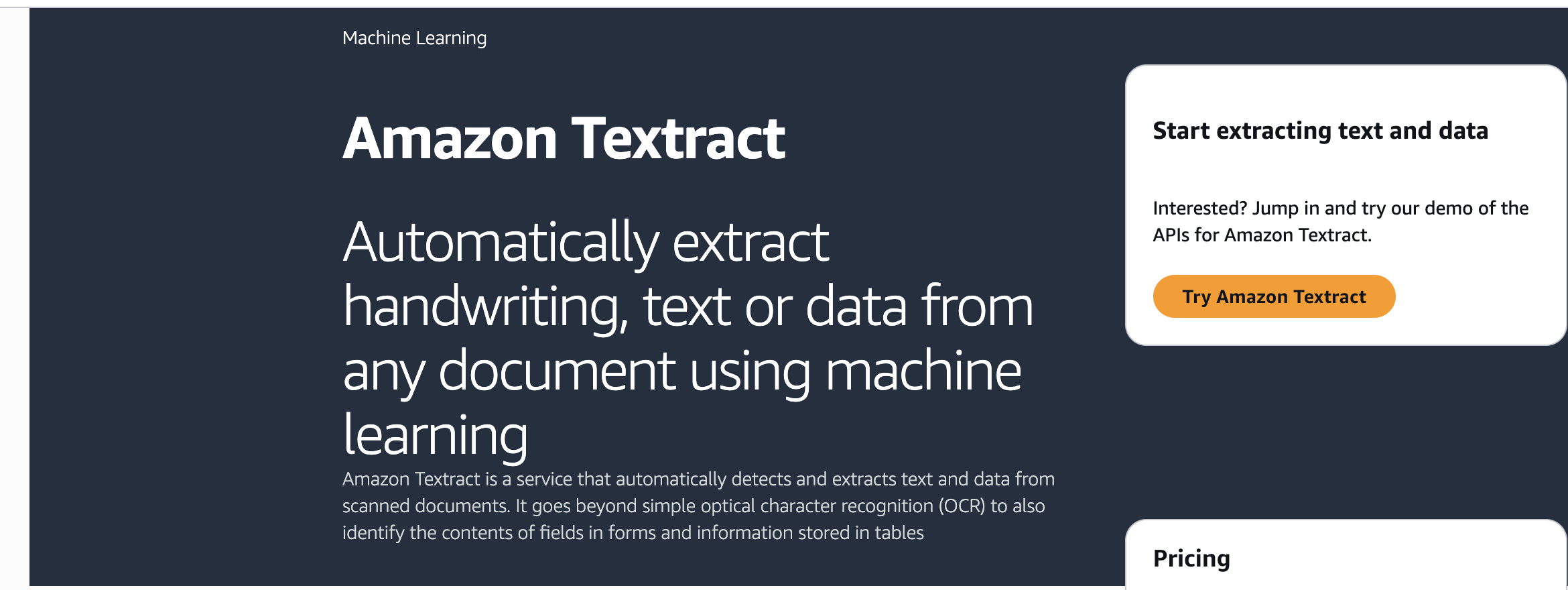
What you can ask for
Five kinds of structure, one document
- Layout: titles, paragraphs, headers, lists, page numbers, and the reading order
- Forms: key and value pairs, the way a paper form pairs a label with its box
- Tables: cells, rows, and columns
- Queries: put a question to the page, such as who signed it
- Signature detection: where a signature sits
Plain text detection is the cheap option. Everything above it costs more per page
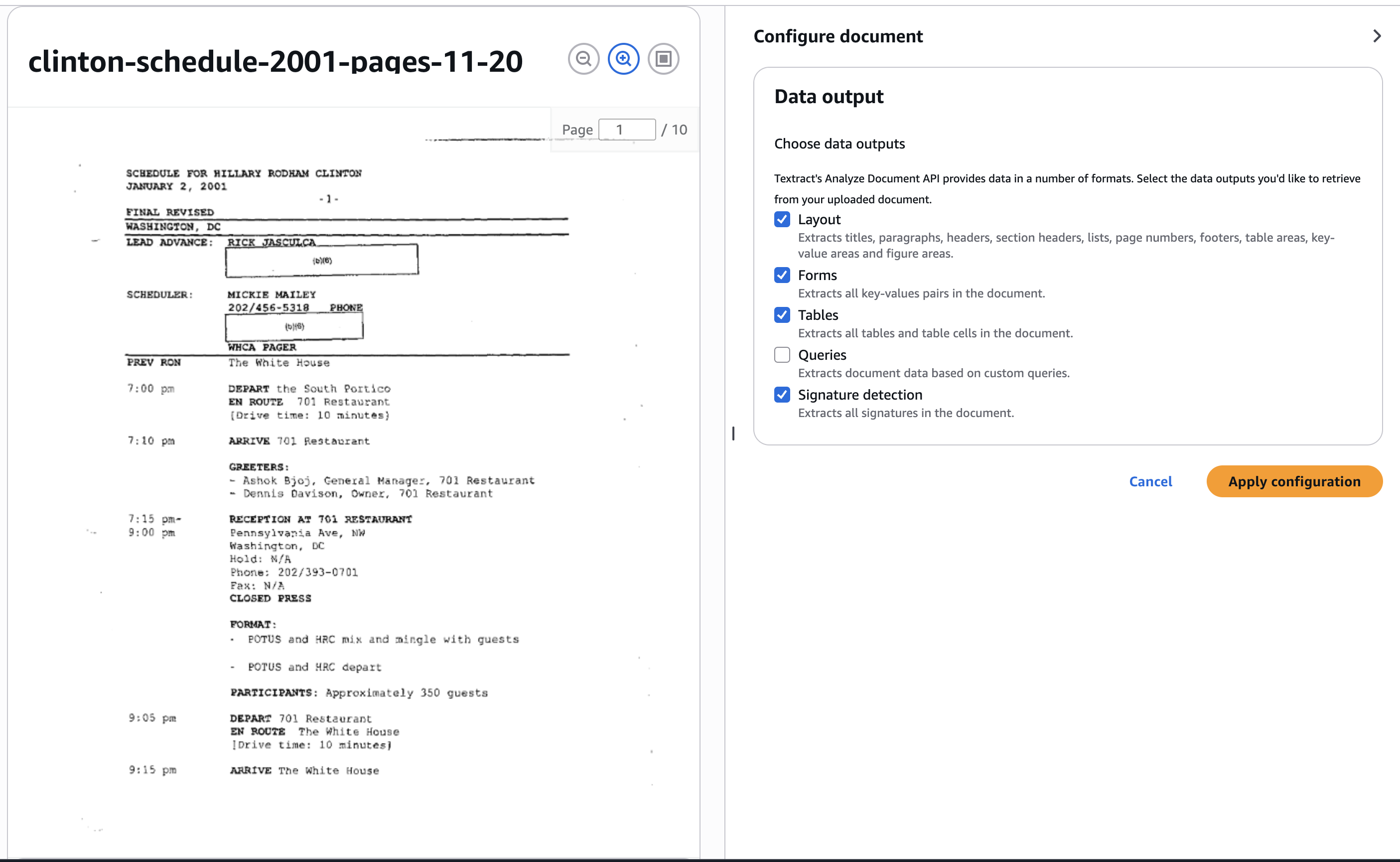
Page 1 of 10, with the outputs about to be applied
What came back
Blocks in reading order, each with a confidence score
- Textract returns blocks in reading order, each labelled by type
- Page 8 came back as a header, a list, and eleven text blocks
- The header reads “SCHEDULE FOR HILLARY RODAHM CLINTON”
- The typo is in the 2001 document. Textract copied the page faithfully
- Anyone searching these files for “Rodham” would miss this page
- Scores on this page ran from 28% to 92%. They rate how sure Textract is about the type of block, not the spelling inside it
- The Raw text tab gives the plain transcript to copy
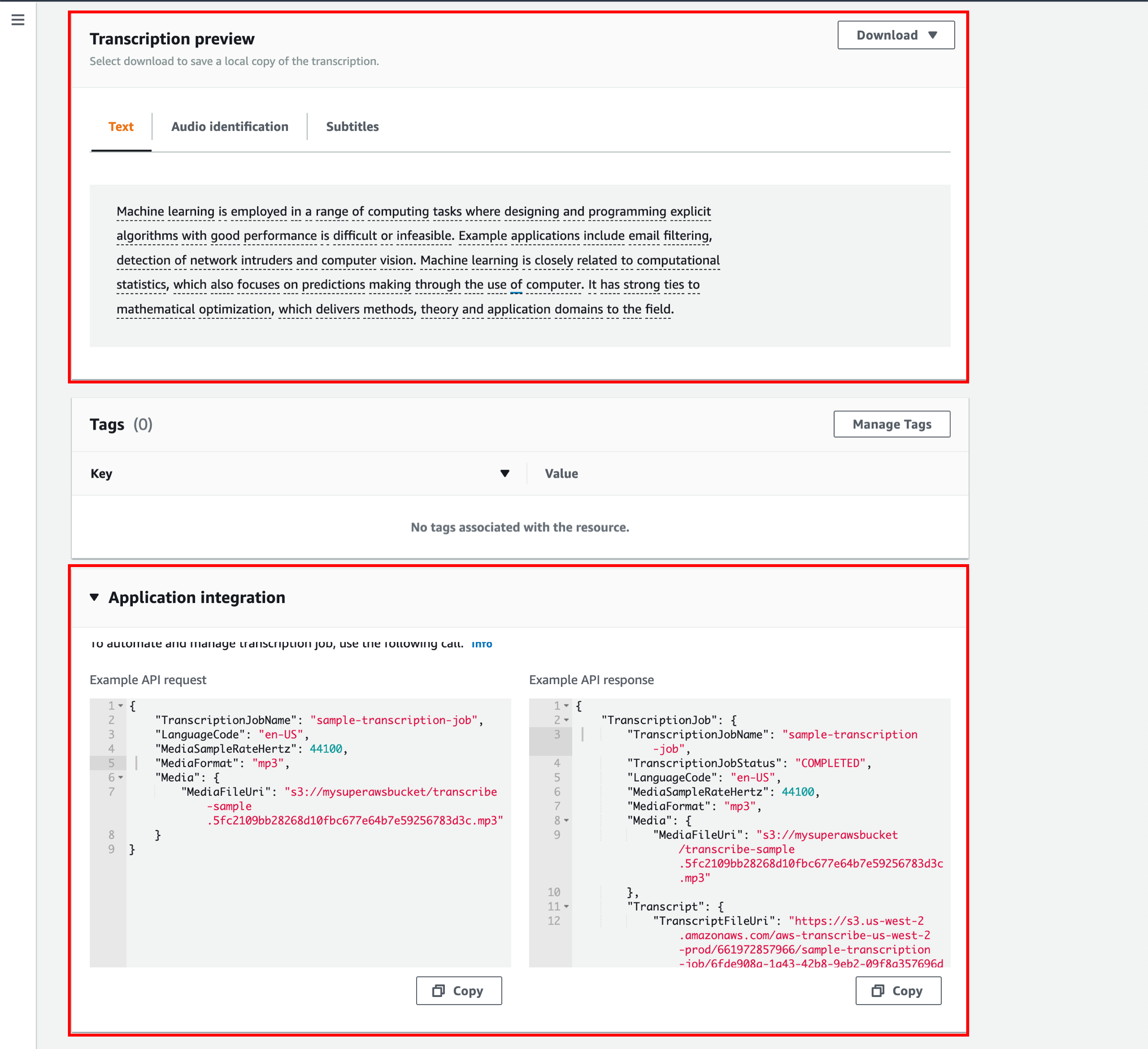
- The appendix runs an audio transcription job using Amazon Transcribe
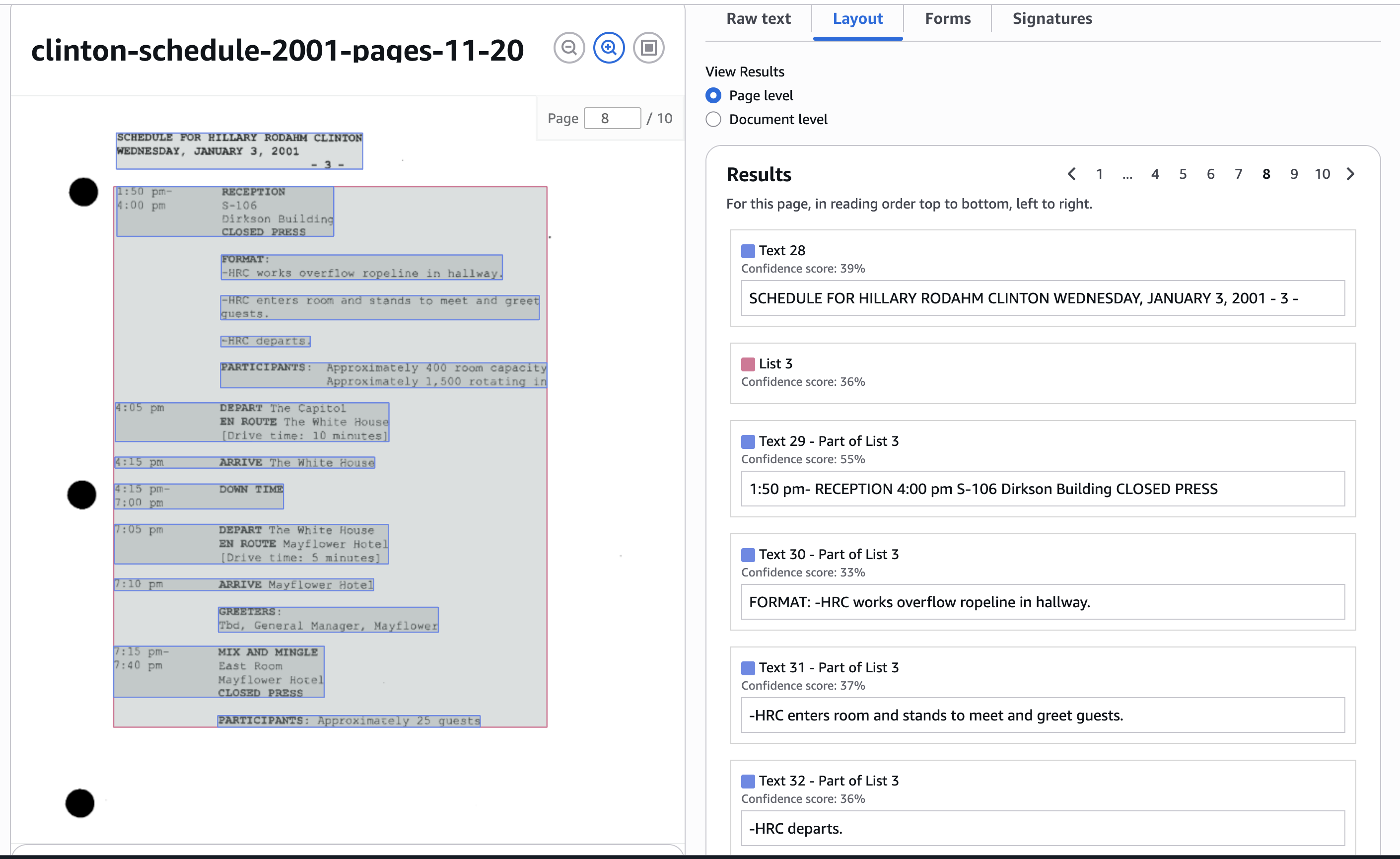
The Layout tab, page 8 of 10
What we learned today
- Why cloud computing matters to a business
- The Big Three: AWS, Azure, and Google Cloud
- The service types: IaaS, PaaS, SaaS, FaaS
- Popular AWS services: EC2, S3, RDS, SageMaker
- How to open an AWS account and set a zero-spend budget
- How to read a scanned PDF with Amazon Textract
- Delete your S3 bucket if you ran the Transcribe appendix!

Next class
Inside the machine you just rented
- We launch an EC2 instance from the console and connect to it over SSH with a key pair
- That key pair is a file on your laptop. It never goes into a Git repository, because bots scan public repositories for AWS keys
- Ubuntu Linux, so every command from the shell module works there
- We install software with
apt, move files withscp, and run a Python script on the instance - We finish by terminating it, which is the habit that keeps the bill at zero
- The final project is released the same day
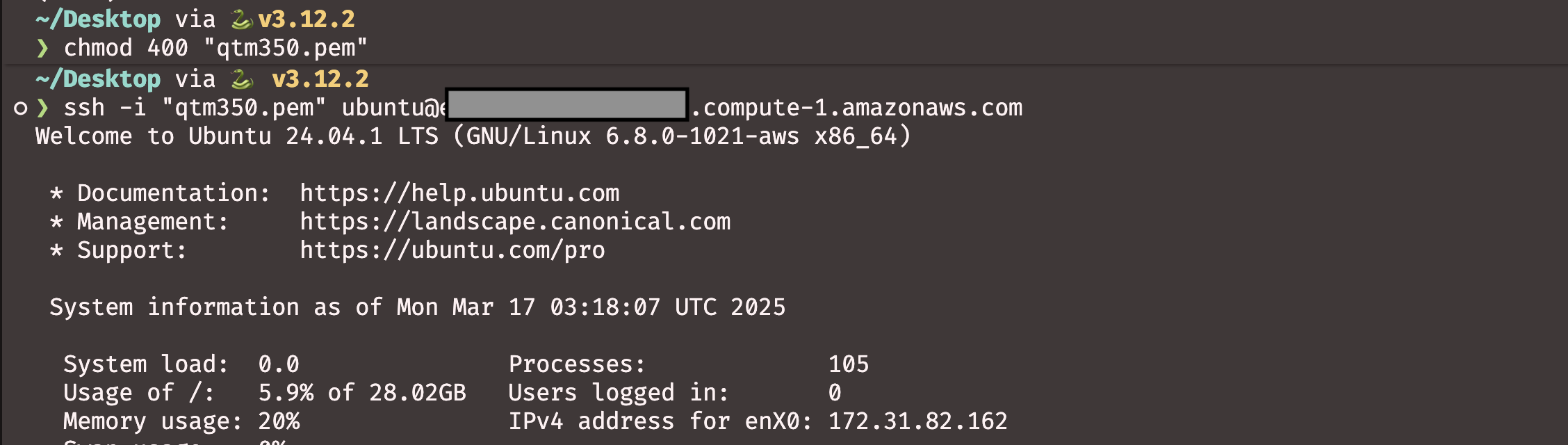
Before then:
- Create your AWS account
- Set the zero-spend budget
- Windows users, install WSL. Tutorial 06 has the steps
- Check that
sshruns in your terminal
Bring the laptop you will use in class. Setting up SSH on a borrowed machine costs the whole session
Quiz 03 covers the AI module and this cloud module
Audio transcription at scale
- Imagine a task like the Washington Post’s, but with audio files to transcribe quickly
- We create an S3 bucket, upload an audio file, and transcribe it
- The file we will use is available here: transcribe-sample.mp3
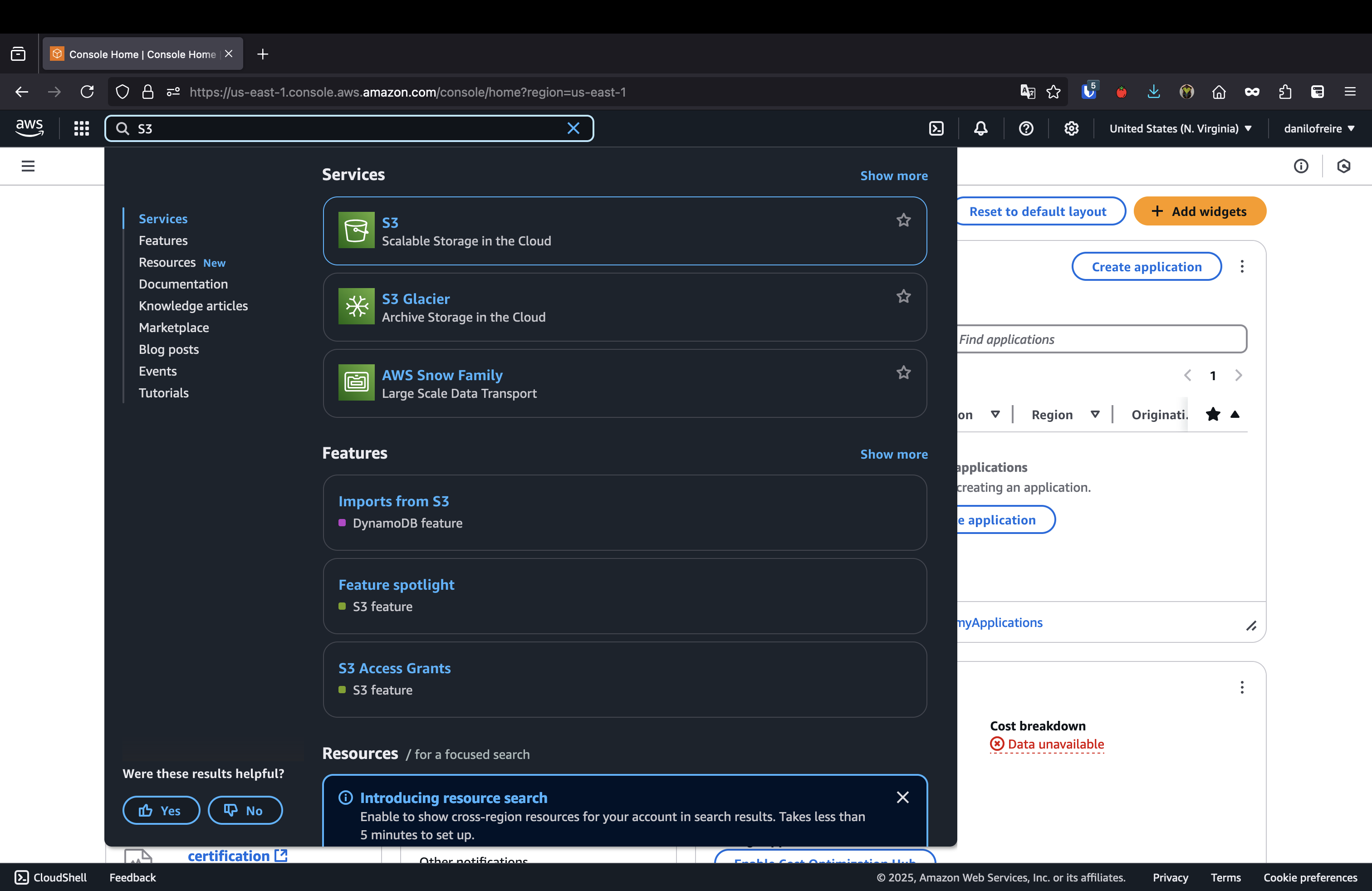
- Open the AWS Management Console and search for
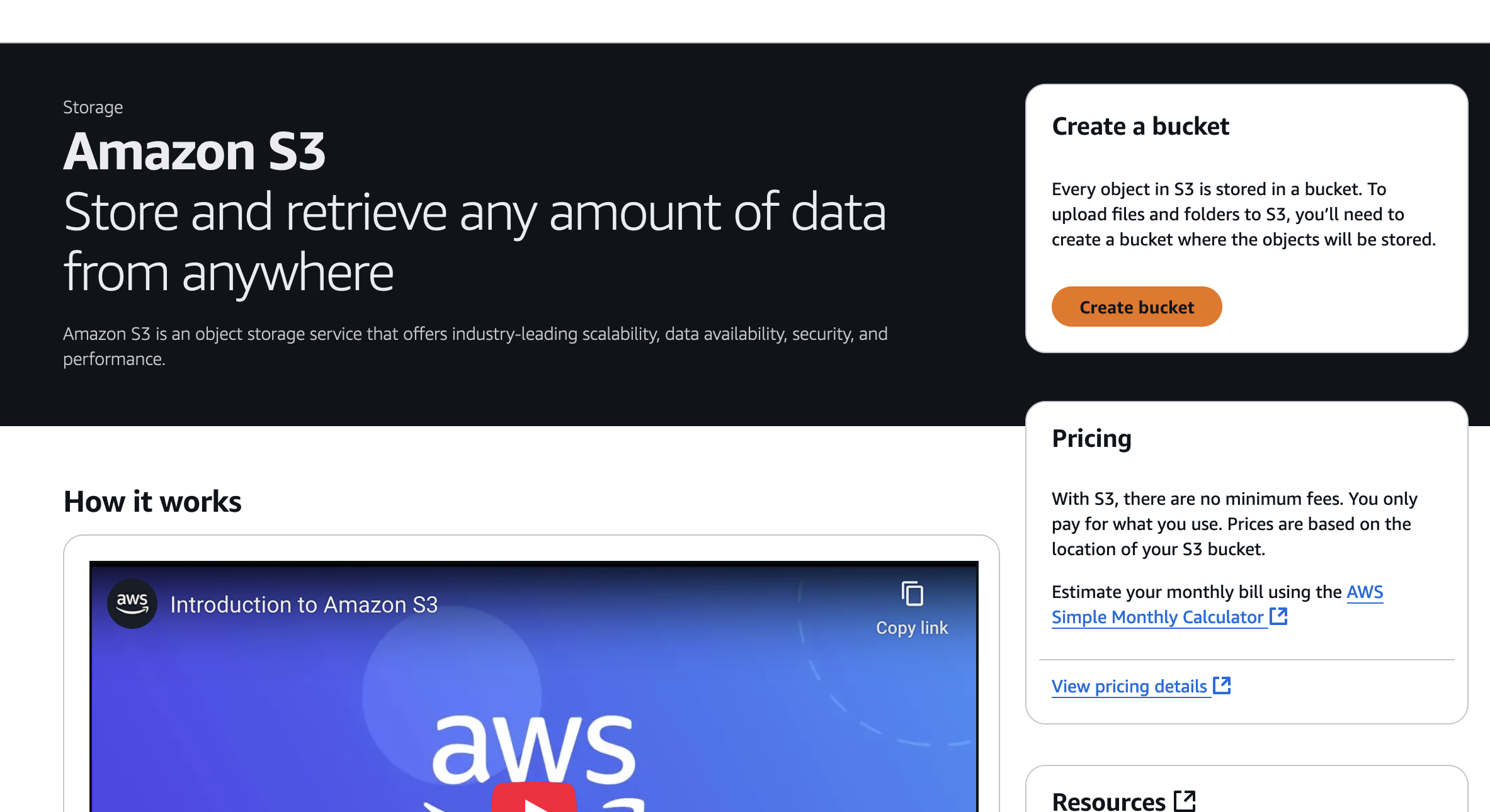
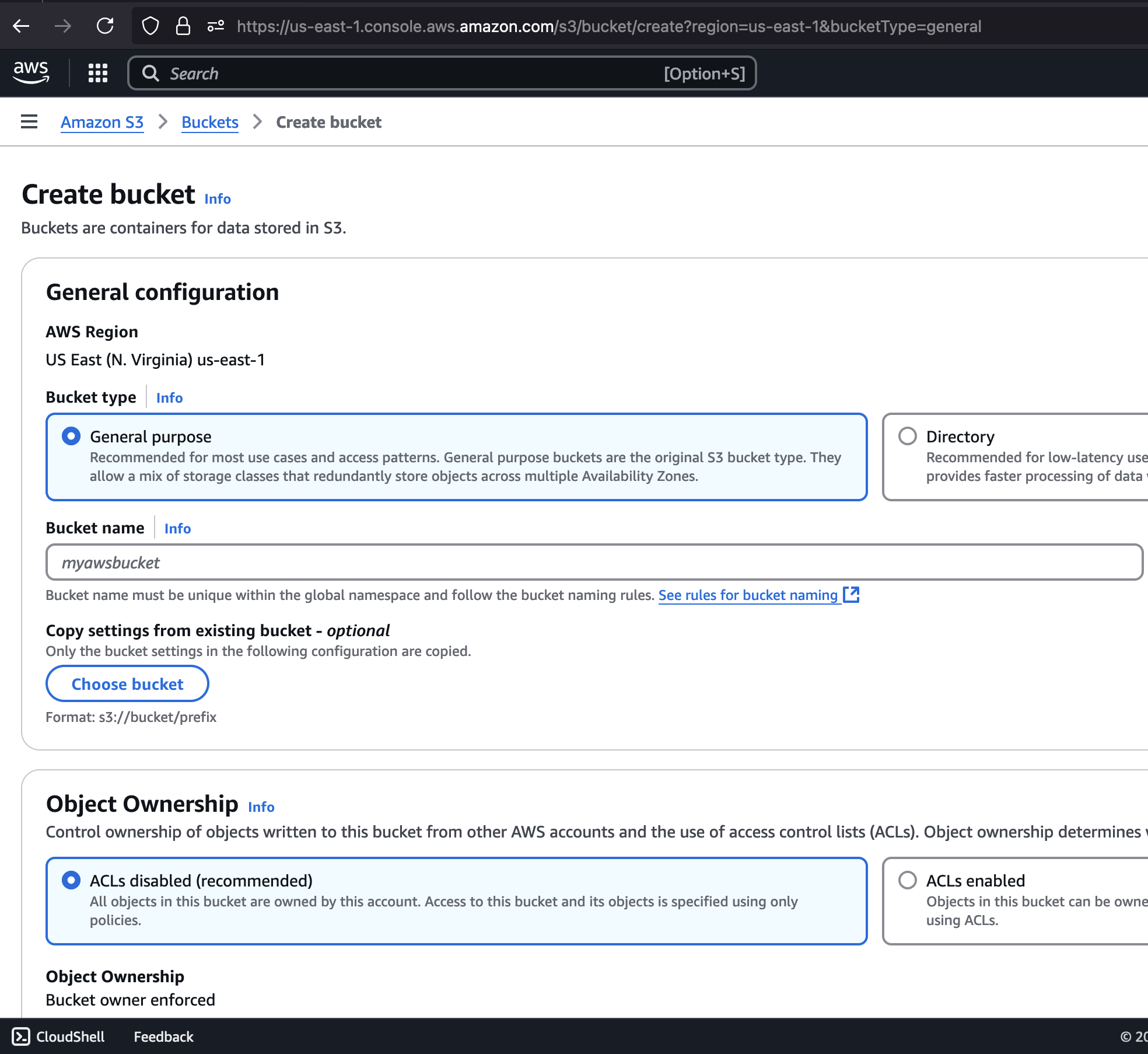
S3 - Click Create bucket, give it a name, accept the permissions, and click Create bucket
Audio transcription at scale
S3 bucket
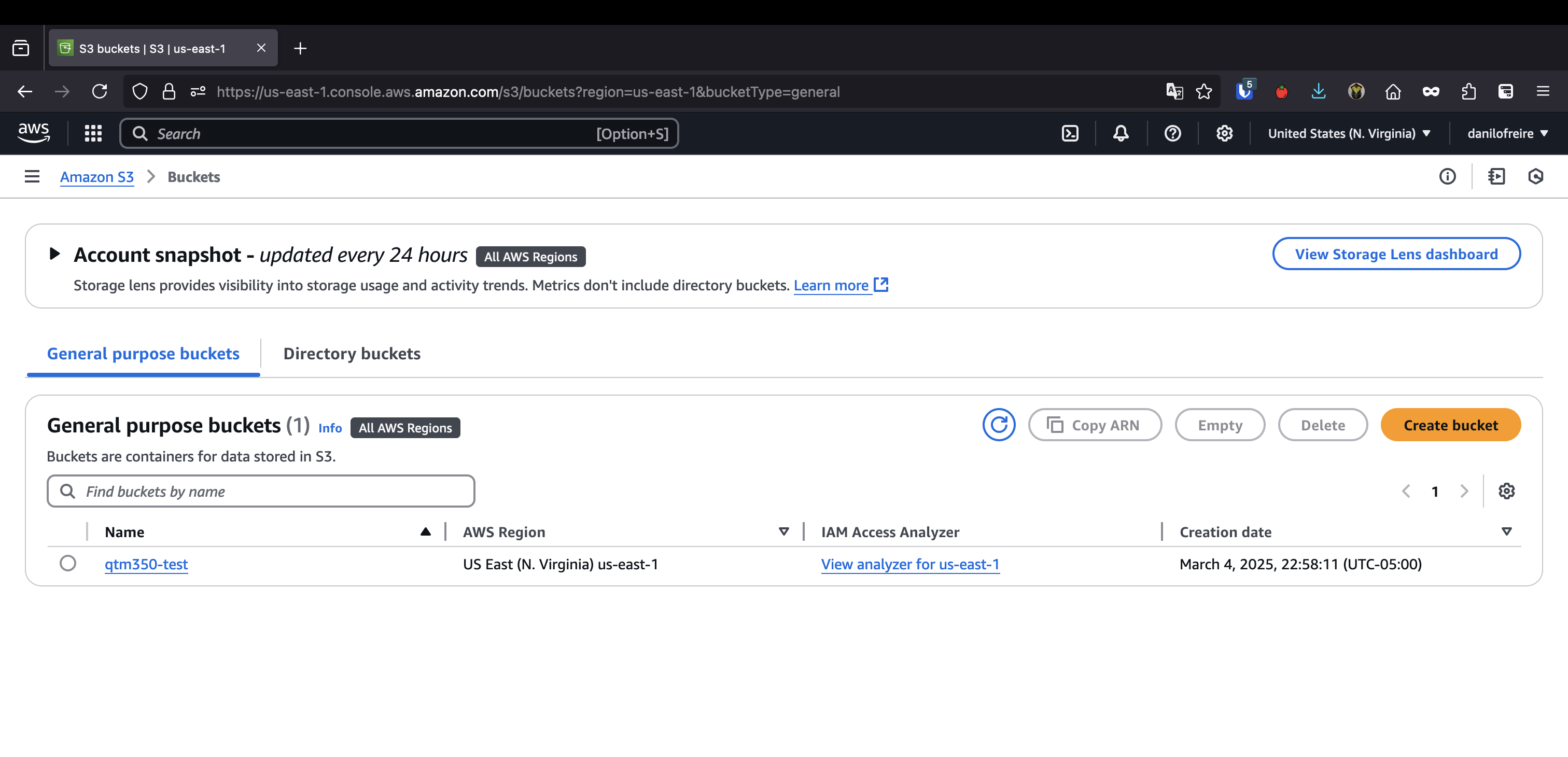
Then click on the bucket and upload the file
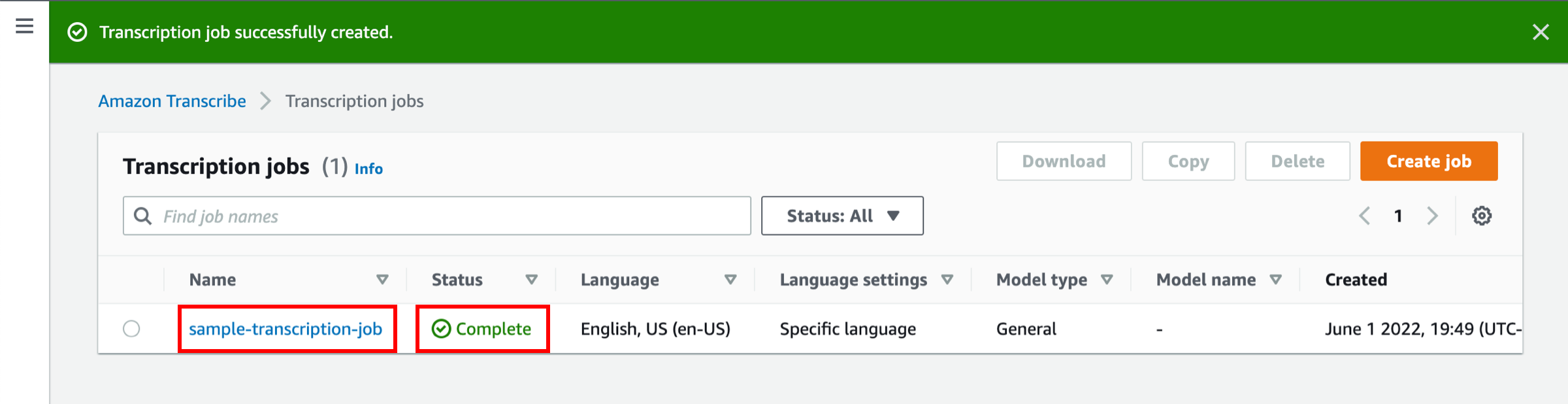
Create transcription job
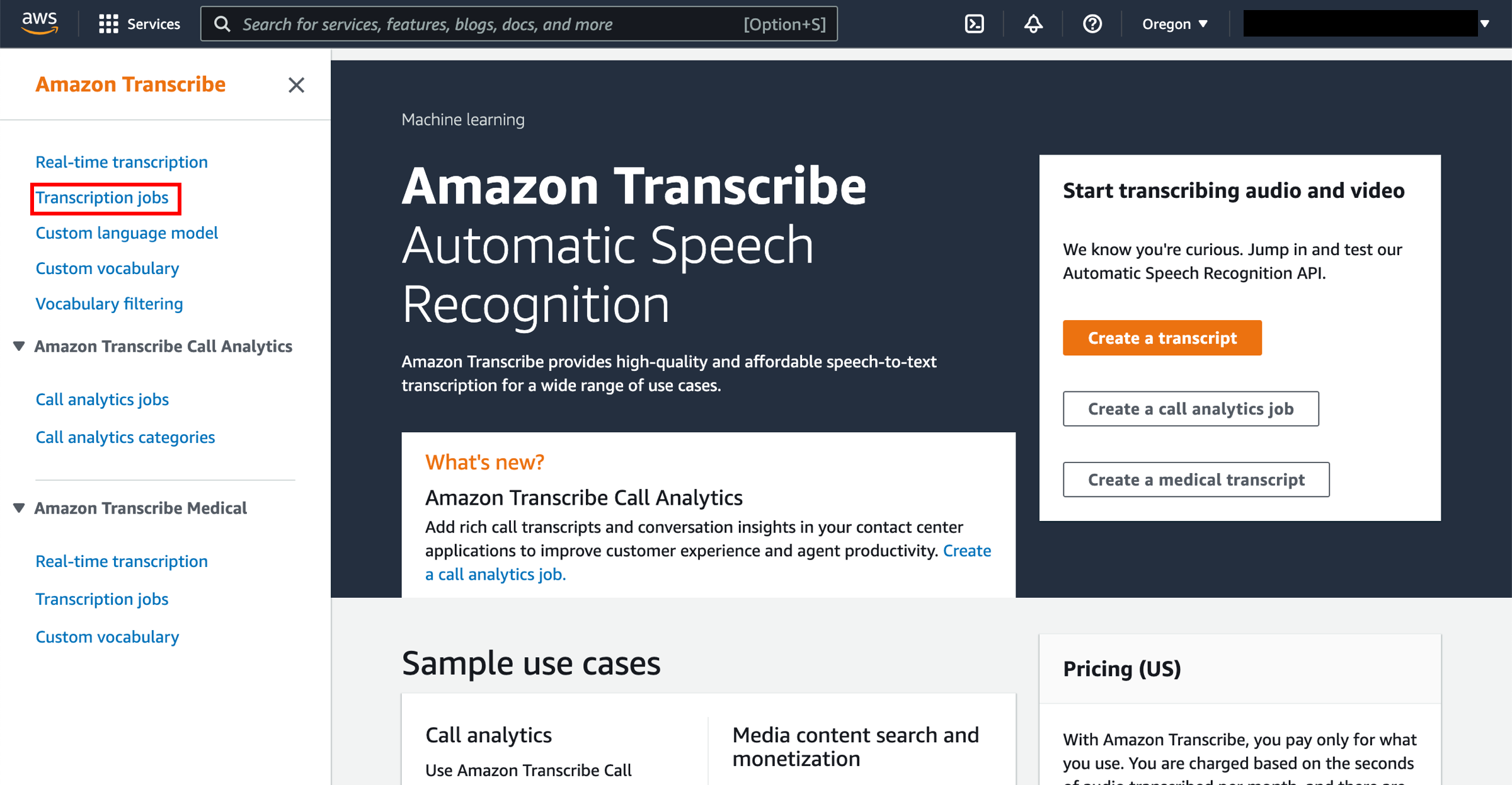
- Open Amazon Transcribe, or search for
Transcribe - Click Transcription jobs in the left sidebar, then Create job
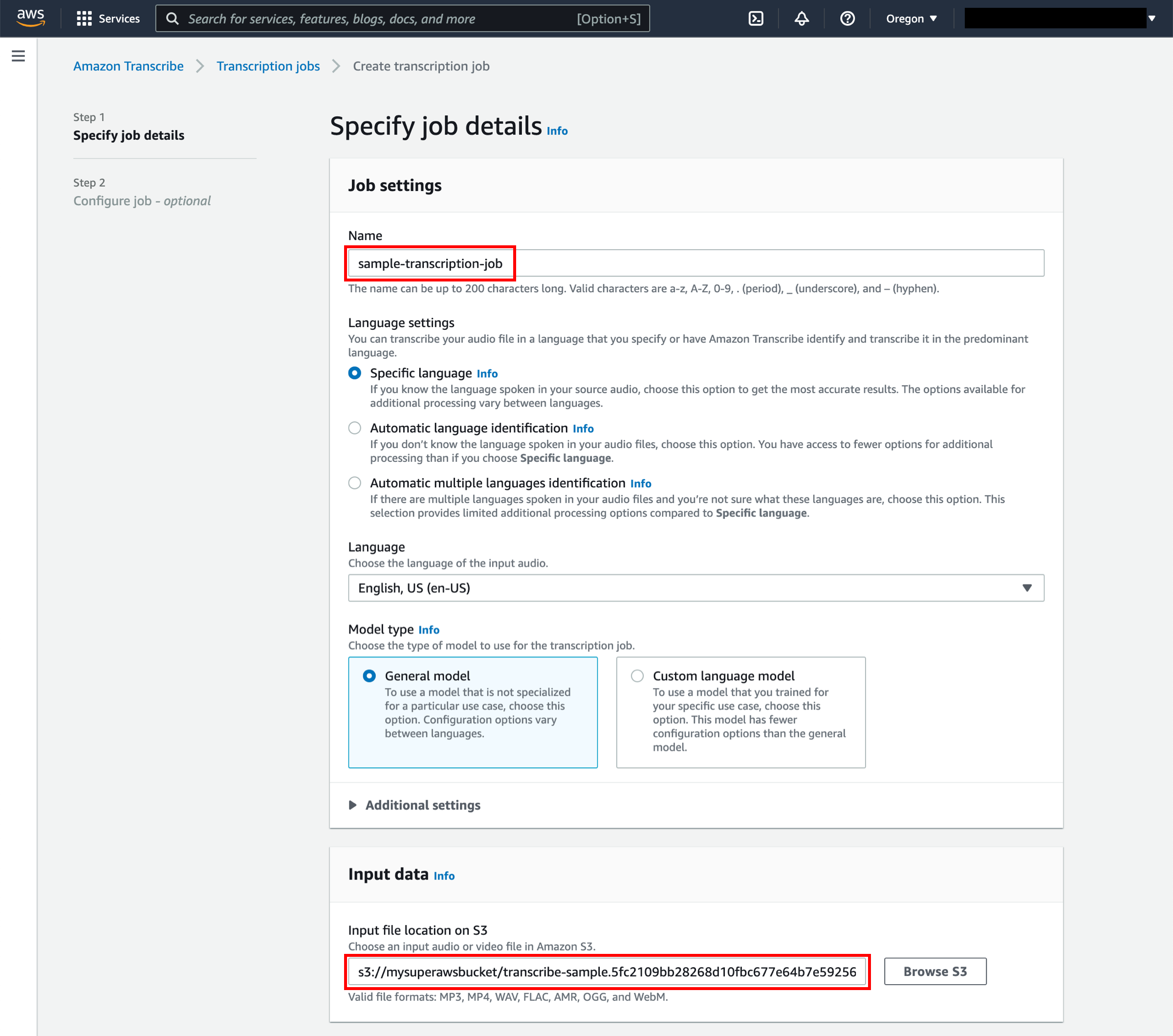
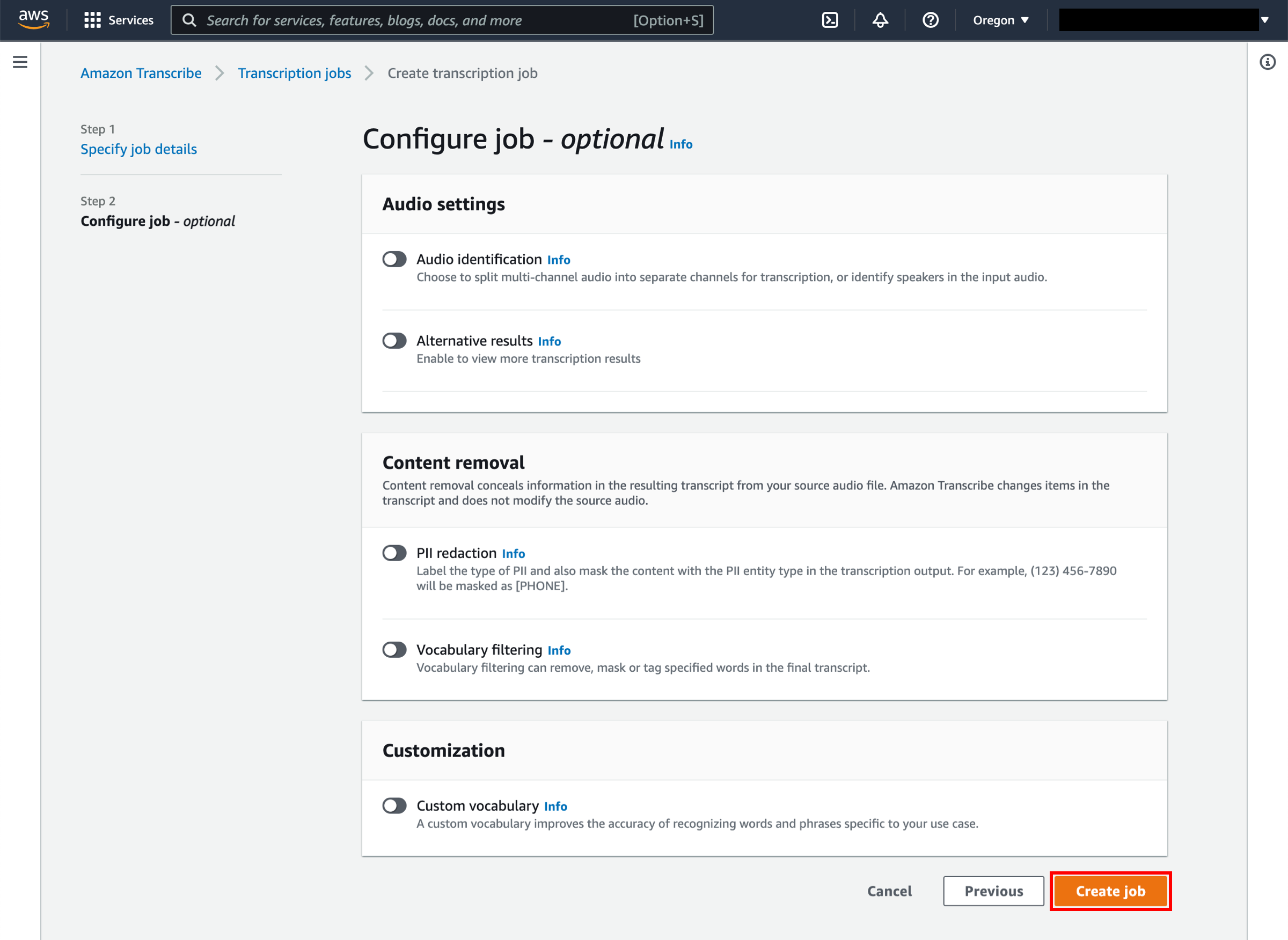
- Give it a name, select the language, and choose the S3 bucket where the file is located
- Click Create
Transcription job
Transcription job